
TL;DR
- Keep your campaign setup simple: broad targeting, a handful of ad groups for A/B testing, and let the algorithm do the heavy lifting.
- Use creative angles that are already proven to work, including claymation, founder stories, and real UGC, instead of reinventing the wheel.
- Launch with 3 to 5 videos, test in batches every week, and cut what doesn't perform fast.
- Match your video format to the placement: vertical for Shorts, widescreen for TV, desktop, and tablet.
- Most importantly: have a clear goal, such as purchases, leads, or app installs, and set up conversion tracking before launching a campaign.
You've probably heard that Meta ads work. But you might be surprised when I tell you that YouTube ads can perform just as well as Meta, sometimes even better.
I've worked in-house for a company scaling multiple brands through performance marketing. We had days where we'd easily spend $50K+ on YouTube ads, profitably. The best part is that once you find a creative that works, you can scale it a lot.
That's what a lot of brands have been doing. For example, Mad Muscles has multiple ads with 100M+ views and an estimated $1M+ in ad spend behind them.
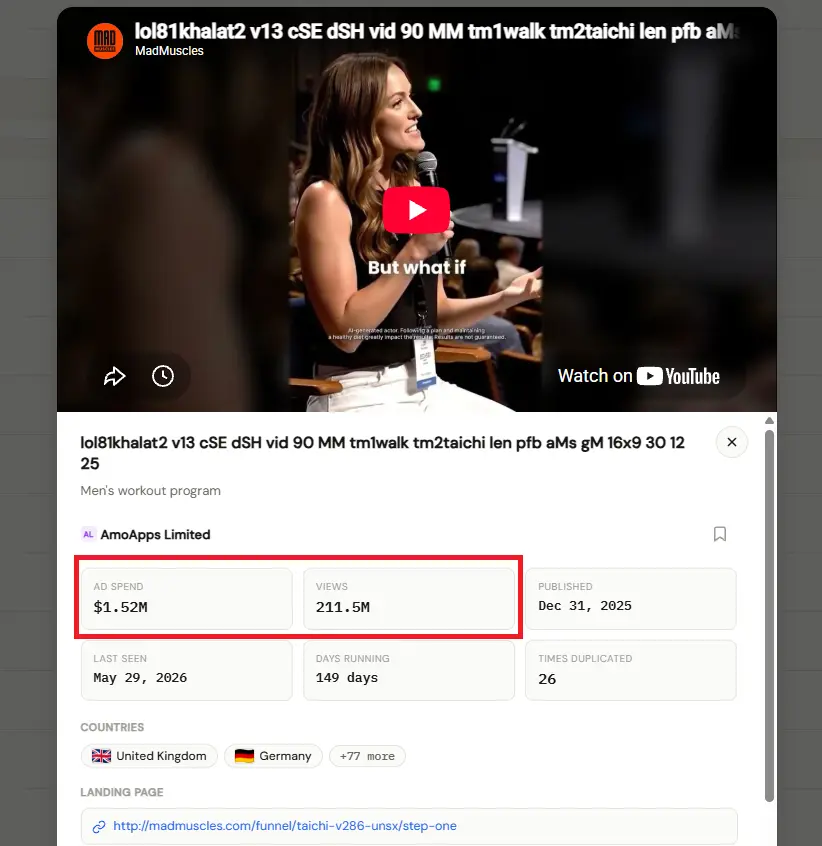
That's the kind of ceiling YouTube gives you when you get the fundamentals right, and that's exactly what this post is about.
1. Use a Simple Campaign Setup
Do not overcomplicate your campaign setup. The days when you had to optimize everything, from audience targeting to hand-picking specific YouTube channels for your ads, are over.
Here's what usually works for me:
- Broad targeting
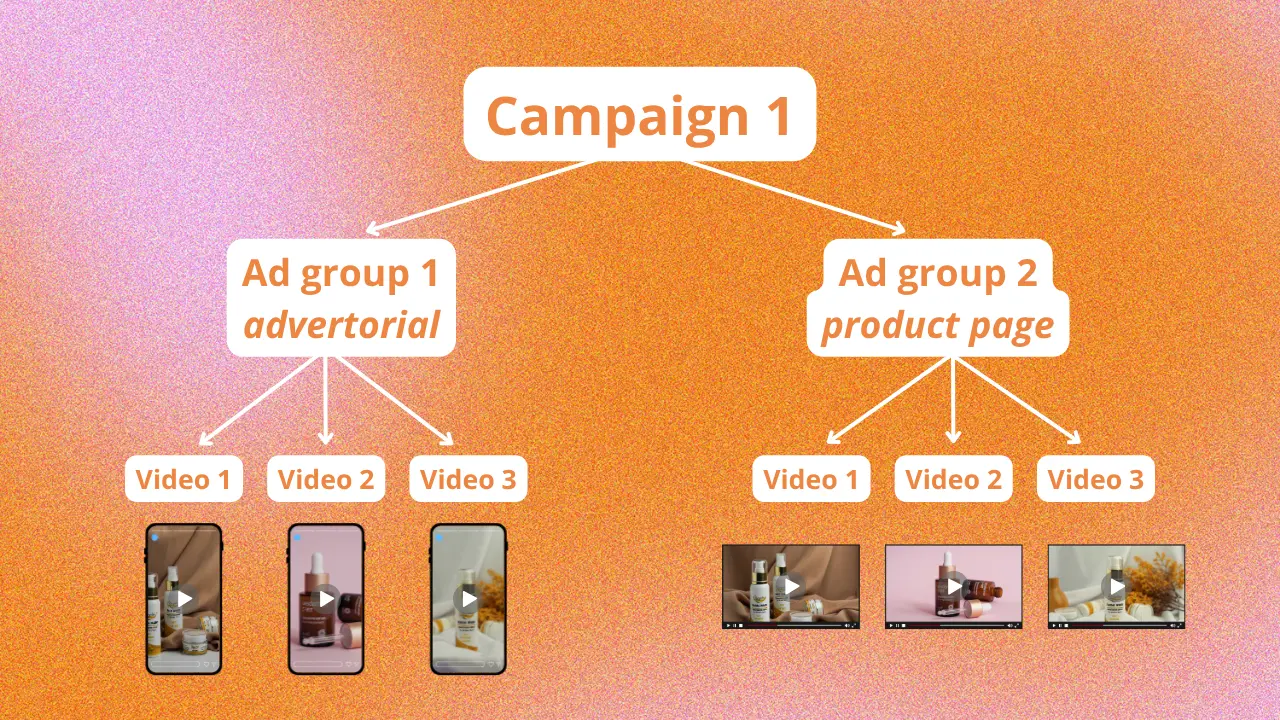
- Different ad groups for specific A/B tests: landing pages, countries, creative formats, and more
- A $50 to $100 daily budget
- 3 to 6 video creatives per campaign or ad group
- A separate ad for each video
I always start with the Maximize Conversions bidding strategy. Once I hit at least 20 to 30 conversions, I switch to target CPA. Trying to force target CPA too early starves the algorithm of the data it needs. You end up fighting your own campaign instead of letting it learn.
This might feel too simple compared with what you're used to on other platforms, but that's the point. Google's algorithm does much of the targeting work now, so your job shifts from micromanaging audiences to feeding it good creative and clean data. If you need help with the setup itself, follow our campaign setup guide.
2. Use Proven Creative Angles
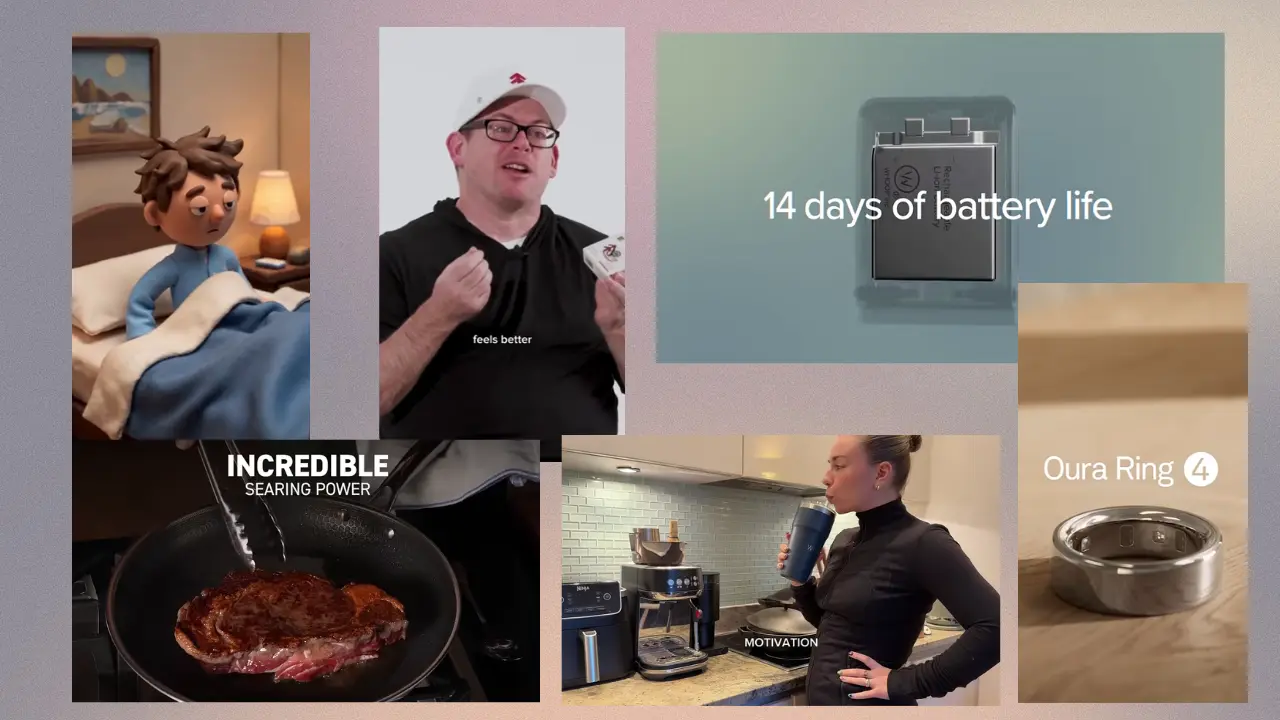
I've tested hundreds of different creative angles. Here's what has been performing best lately:
Claymation
Claymation is trending for many brands right now. It stands out and earns attention because it looks different from almost everything around it.
Founder story
Put the founder on camera to explain why they created the product, what problem it solves, and its main benefits. People like hearing the story and seeing the face behind a product. It builds trust quickly, especially for newer brands without much social proof.
Real UGC
Real UGC, not AI-generated UGC, is what people actually want to see and buy from. The rougher and more authentic it looks, the better it tends to perform. AI-generated UGC might save time, but it hasn't come close to matching the results of the real thing for me.
Product features
Show your product within the first five seconds and explain its features. You have more room to breathe on YouTube than on Meta or TikTok, so use that time to walk people through what makes the product valuable.
Newness
Videos built around messages like "We launched Product 2.0" work especially well if you already have an audience familiar with your brand and interested in what's new.
Educational videos and explainers
These have always performed well on YouTube, especially longer two to four minute widescreen videos. People come to YouTube to learn, so this format fits the platform naturally instead of feeling like an interruption. Browse our YouTube ad examples to study more proven formats.
3. Get Your Testing Volume and Strategy Right
3-5 videos is plenty to launch your first campaign. But over time, you'll want to test more. I recommend launching at least 1-2 batches of new creatives per week.
Give your videos at least a few days to run before pausing them. Once you do start pausing, cut anything that isn't performing. I usually pause an ad once it has spent two to four times my desired CPA. That's normally enough signal to know it is unlikely to turn around.
If you find a video that hits or beats your target CPA, scale it and get as much from it as you can before it fatigues.
Keep in mind that 20% of your video creatives will account for 80% of your results. But you'll never find that 20% without testing the other 80% first. That's the nature of creative testing: most of what you make won't be a winner, and that's fine. Our analysis of top advertisers found that the top 1% run 109 ads, which shows how important testing volume becomes at scale.
4. Match Your Video Format to the Placement
Test both 9:16 vertical videos, which perform well on Shorts, and 16:9 widescreen videos, which suit TV, laptop, and tablet placements. Do not assume one format covers everything. YouTube's inventory spans very different screens and viewing contexts, so your creative should reflect that.
From what I've seen, advertorial-style ads tend to work best as vertical videos on Shorts. Widescreen videos, which mostly reach TV, desktop, and tablet placements, can still convert well when paired with a product detail page for VSL and educational-style videos.
Below are real examples from ecommerce, SaaS, mobile apps, and services. All of them, along with many more, can be found in the VidSniff database.
Ecommerce
- Estimated ad spend: $250k
- Views: 34.7M
- Days running: 151 days
SaaS
- Estimated ad spend: $1.3M
- Views: 177.4M
- Days running: 69 days
Mobile Apps
- Estimated ad spend: $986k
- Views: 137M
- Days running: 184 days
Services
- Estimated ad spend: $810k
- Views: 112.5M
- Days running: 754 days
Watching how these ads are structured, including the hook, pacing, and format choice, will teach you more than any theory. Study what's already working before starting from a blank page.
5. Make Sure Your Conversion Tracking Is Working
Before launching your first YouTube ads campaign, make sure your conversion tracking is set up correctly. Pick one specific goal that matters most to you, such as purchases, leads, or app installs, and confirm that it fires properly before spending a dollar.
Without clean conversion data, Google's system has nothing to optimize toward. You can have the best creative in the world and still get mediocre results if the algorithm doesn't know what a win looks like for your account.